CloudsEscort Hong Kong escort directory Back to directory

Profile publication guide

Publish your profile in Hong Kong

Start with free publication or add optional VIP placement after review. Both paths use the same video check and moderation rules.

Choose your placement

One publication standard, two positions

Free and VIP profiles pass the same video review and moderation checks. The difference is where an eligible profile appears in the directory.

01

Free publication

$0 listing fee

  • No fee to submit a profile for review.
  • Publication requires an accepted video and moderation eligibility.
  • The team reviews each submission manually; meeting the requirements does not guarantee publication.
  • Free profiles appear after profiles with active VIP placement.
  • No upgrade or paid term is required to remain eligible.

02

VIP placement

From 39 USDT

  • Active VIP profiles appear before free profiles.
  • VIP is not pinned to one fixed position.
  • Ordering inside the VIP group may change.
  • Placement does not guarantee views, contacts, or bookings.

Current draft rates

Select a placement term

Rates are paid in USDT on the TRON network using the TRC20 token standard. The page does not collect payment.

7 days
39 USDT
30 days
109 USDT
365 days
799 USDT

Required for every profile

Record one clear verification video

Use a well-lit space and keep the recording continuous. No nudity is required. The purpose is to compare the person visible now with the media intended for the profile.

  1. Write the note

    On plain matte or non-glossy paper, write the same nickname entered—or intended—for the profile and the video date: the calendar date you send it.

  2. Show the full frame

    Hold the note at upper-torso height. Keep your face, body, and feet visible together while the writing remains readable.

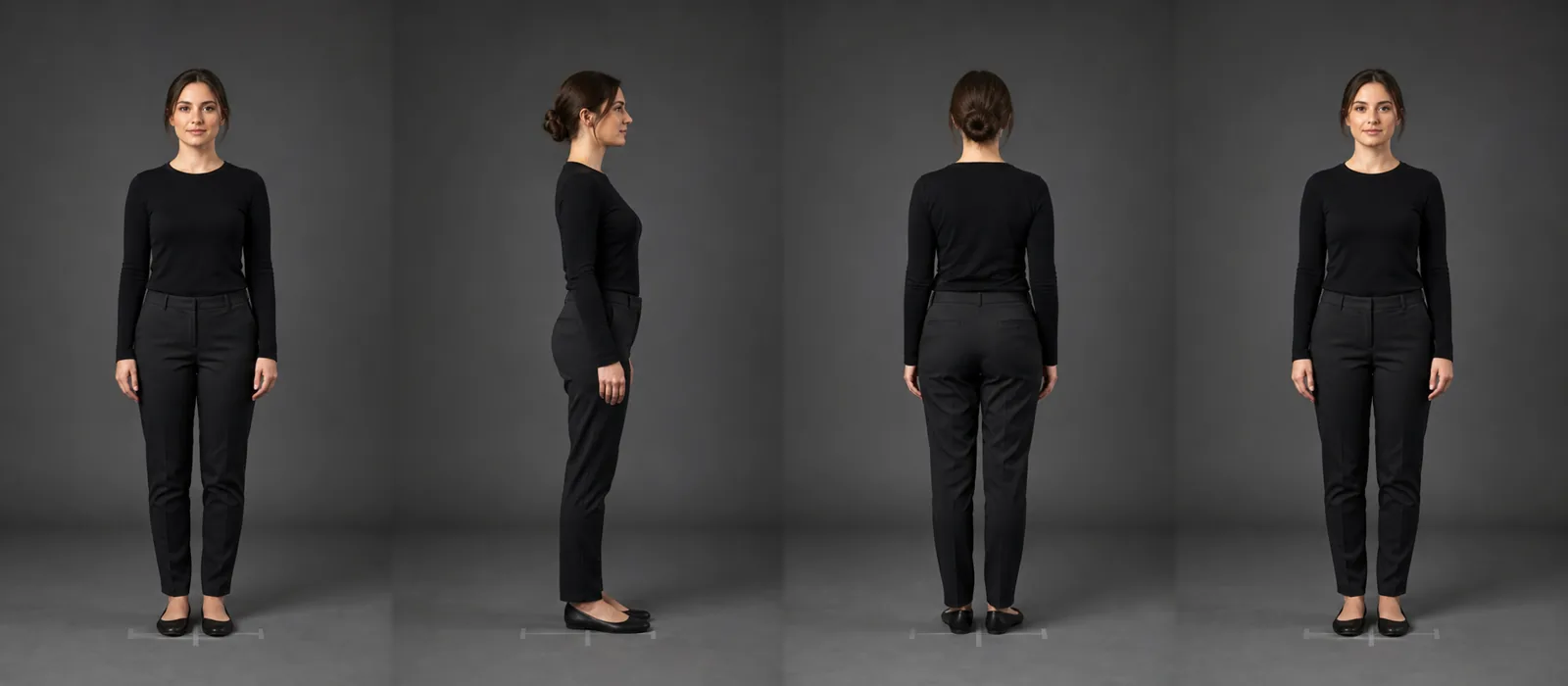
  3. Turn through 360°

    In the same recording, turn slowly through the side and back views, then return to face the camera.

  4. Send without edits

    Do not use cuts, filters, face effects, or speed changes. Send the original continuous video to the official publishing email, then wait for the team's manual review and moderation decision.

Fully clothed adult standing completely inside the camera frame and holding a blank paper note
Correct frame: face, full body, and shoes remain visible. Write your own profile nickname and video date on the paper.
Four full-body positions showing an adult facing front, side, back, and front again
One continuous turn: front side back front

What the review checks

A current visual comparison

The team compares the adult shown in the continuous video with the photos supplied for that profile and checks whether the recording follows these steps.

What it does not certify

No broad guarantee

The video alone does not certify legal identity, age, personal safety, service details, availability, or every statement made in a profile.

VIP payment sequence

Contact first. Pay only after a reply.

VIP can be requested only for a video-reviewed profile that is eligible for publication. Do not send funds using an address found elsewhere.

  1. 1

    Send the request

    Include the profile nickname and the requested 7, 30, or 365-day term.

  2. 2

    Wait for eligibility confirmation

    The team checks the video-review and publication status before payment.

  3. 3

    Receive the destination wallet

    The official team reply provides the TRON wallet for USDT (TRC20).

  4. 4

    Verify before sending

    Check the token, TRON network, amount, and complete wallet address.

Publishing contact

Prepare your nickname, date, and video

When the official address is active, use it for free-publication review and VIP placement requests. Put the profile nickname in the email subject.

Temporary email placeholder [email protected] Do not send yet. Submissions open after the official address is configured.